












Modely: Revolutionize rebar inspection - just an iPad does it all!

3D rebar inspection system Modely :
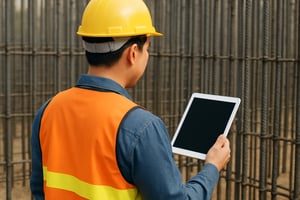
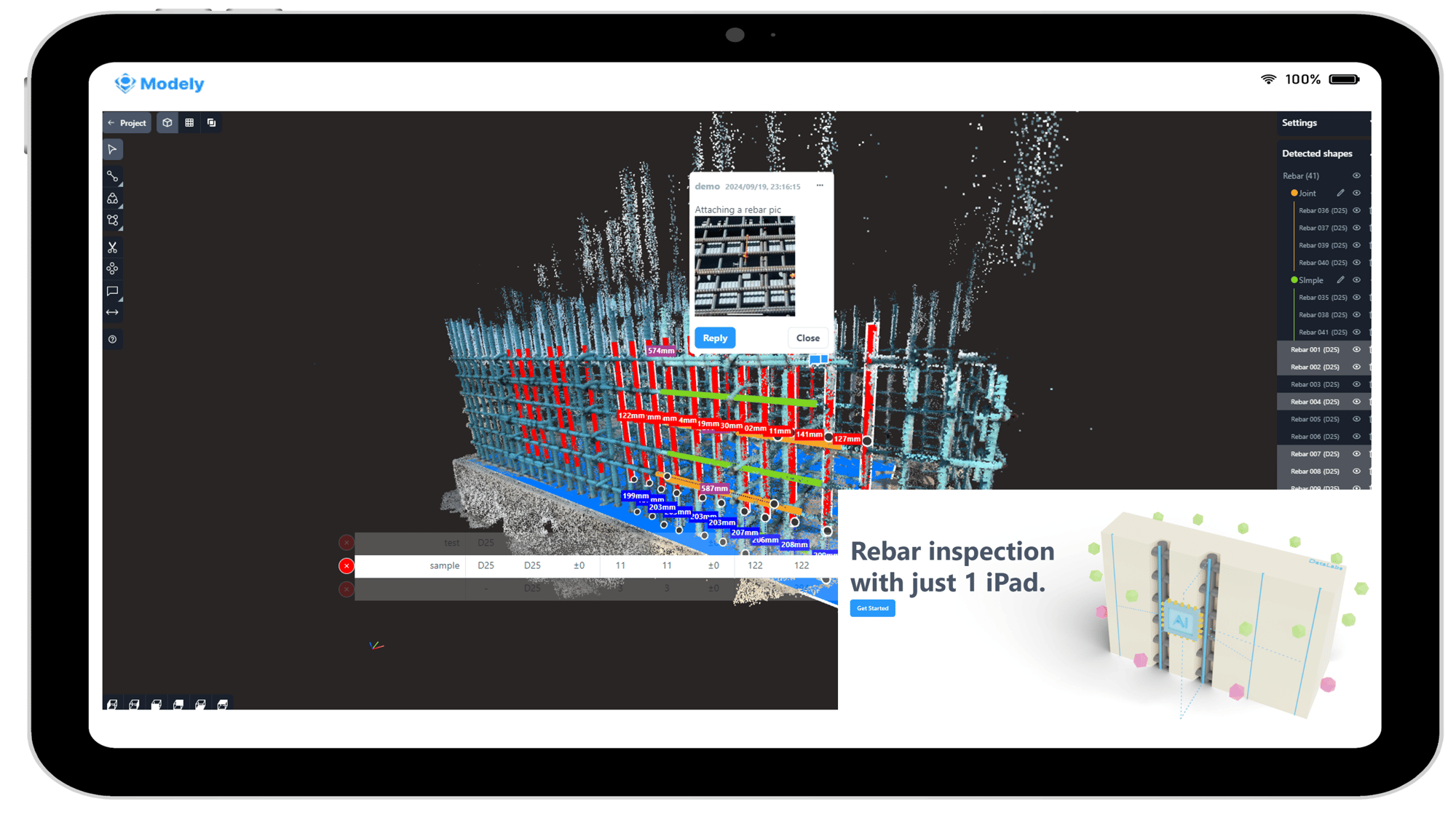
Easy Rebar Inspection with Just One iPad

Modely is a 3D rebar inspection system that uses LiDAR-equipped iPads to capture point cloud data and convert it into 3D models, enabling automatic generation of inspection reports with measured values required for rebar inspections.

Companies Using Modely


350+ businesses have used our service !

JR東日本マーク
JR東海
logo-a_normal_yohaku
ロゴ横01
池田土木ロゴ
図植木横-感動入
大手組ロゴ
大林組ロゴ
オカベロゴ
オリエンタル白石ロゴ
加和太ロゴ(スローガン入り)
英ロゴ01
金本組ロゴ調整
木内ロゴ
英文カラー_(技工団ロゴ)
ロゴマーク_black(工藤建設株式会社)
桑原組
國場組ロゴ(バナー用)
佐々木建設 ロゴ
清水建設ロゴ
大鉄工業ロゴ
田中組ロゴ
toyo_rogo_out04_202009
南波建設ロゴ
西松のロゴ
コーポレートブランドロゴ&社名ロゴ(株あり)&タグライン
hirosekenchiku_logo_yoko_color
ロゴマーク1-A_カラー
Fujita_シンボルマーク_ロゴのみ_透過
古郡建設ロゴ2_DIC161 横長グレー文字Ver
オーバル_社名_カラー_株式会社なし
森本組ロゴ
屋部土建ロゴ
会社ロゴ-1
横河ブリッジロゴblack
□りんかい日産建設

Recognition & Achievements


Certificate and trophy

Awards

Explore the honors and industry recognition DataLabs has received to date.


media newspaper book magazine website-1

Media Coverage

Explore recent articles and press coverage featuring DataLabs.


conference construction site presentation

Publications & Presentations

Explore our collection of academic papers, technical articles, information sessions, and user-led content.


Modely Overview


Key Benefits of using Modely

Key Benefits of using Modely

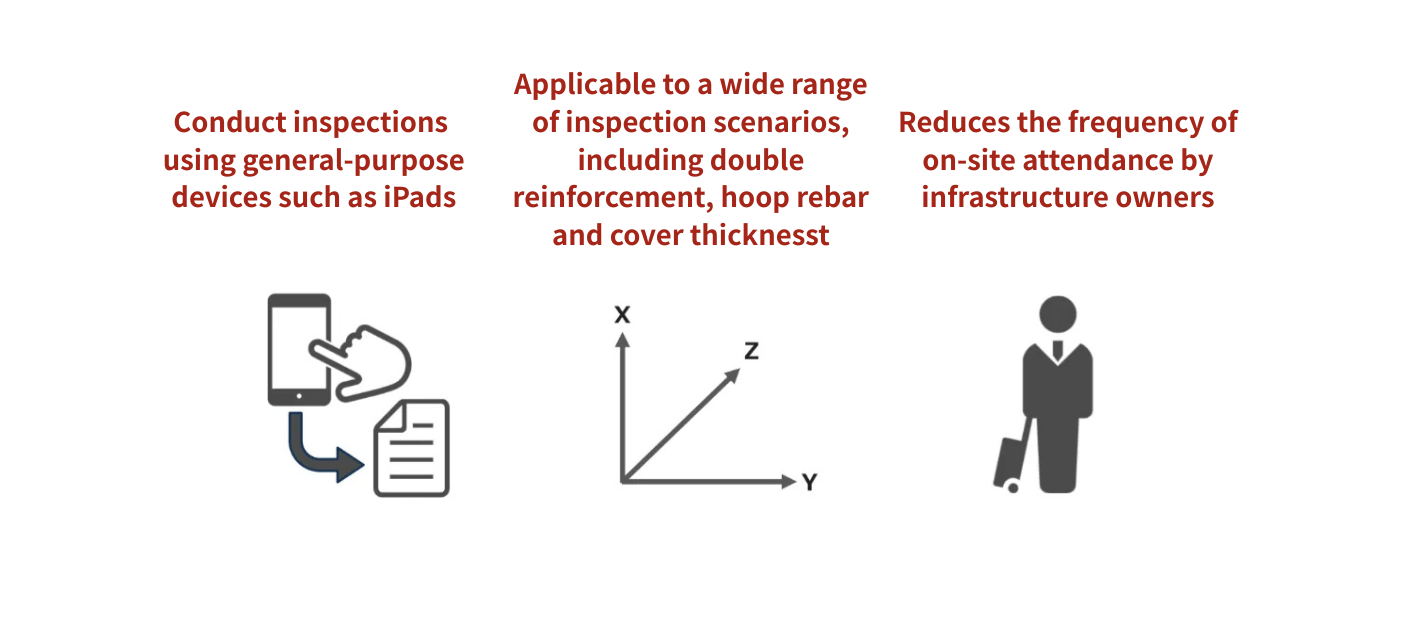
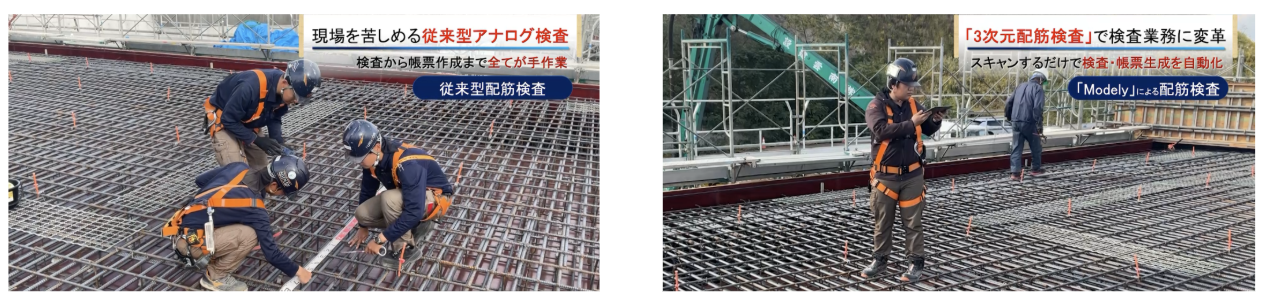
Benefit 1: Enable Single-Person Operation for Rebar Inspections Using an iPad

image

Photos: provided by Furugori Construction Co., Ltd./ Excerpted from our paper “Application of 3D models generated from point cloud data for reinforcement inspection and repair inspection” (paper(ja)/presentation(ja))

Benefit 2: Support a wide range of inspection scenarios, including double reinforcement, hoop rebar and cover thickness

Mesurement of double reinforcement
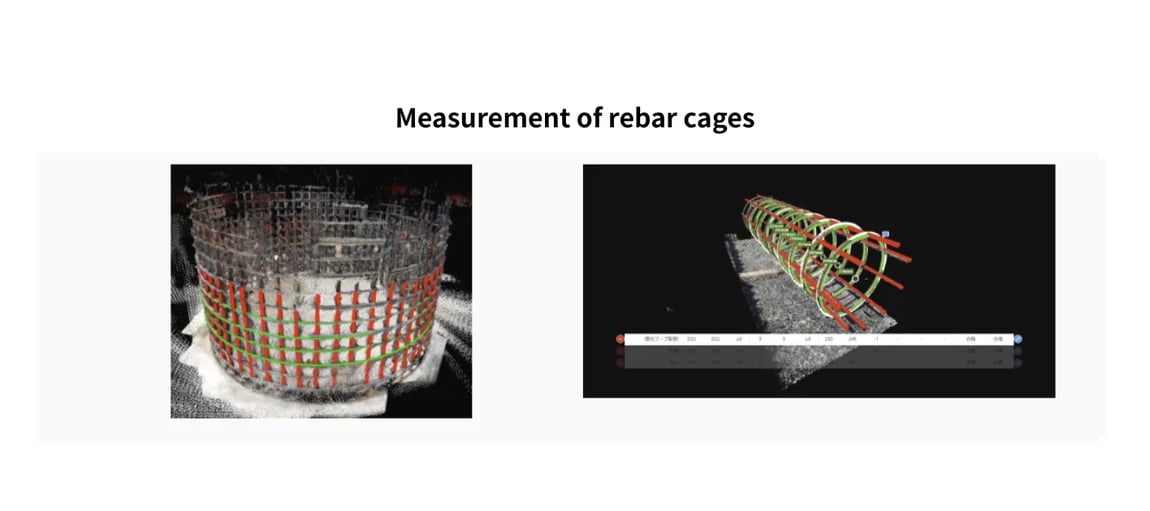
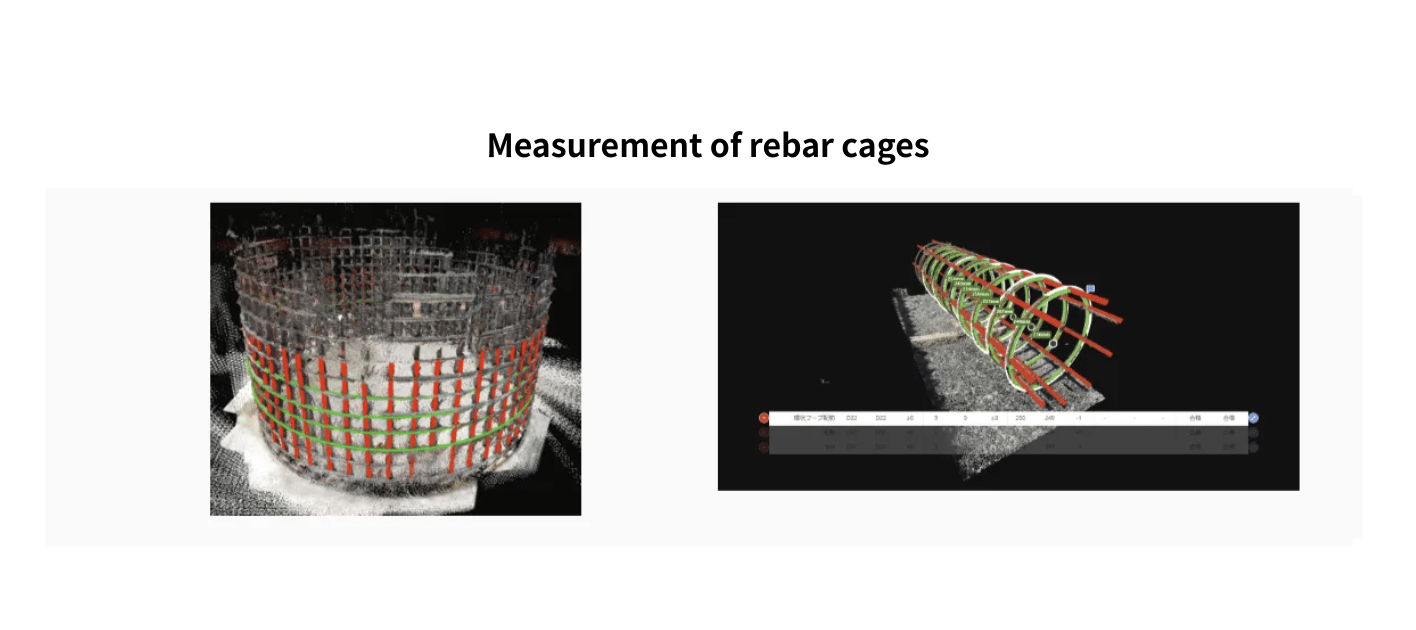
Mesurement of rebar cages
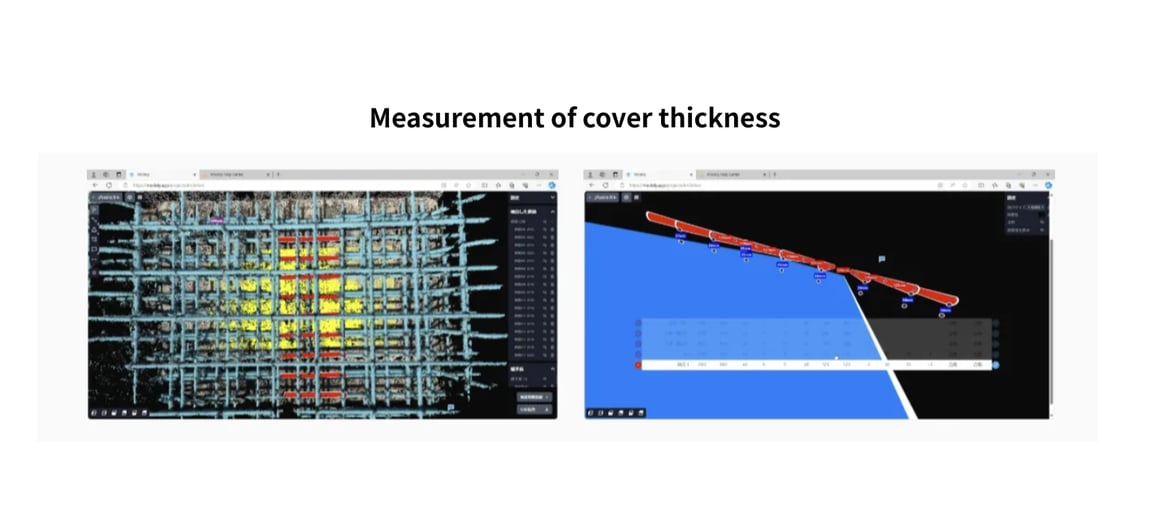
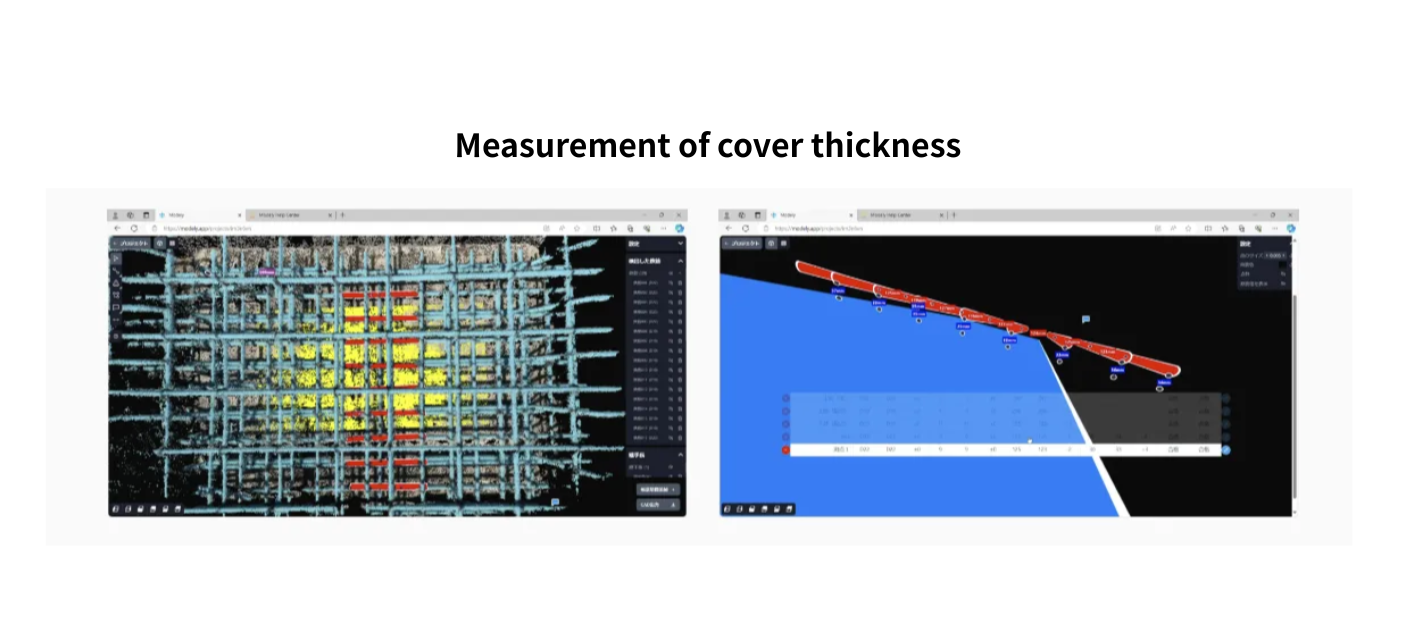
Mesurement of cover thickness

Benefit3: Achieve Significant Labor Savings and Reduce the frequency of client witness inspections

Achieve Significant Labor Savings and Reduce the frequency of client witness inspections

High-Accuracy Measurement with Proven Results

Detailed accuracy verification materials are available upon request via the button below.

Key Features of Modely


Measurement of Rebar Spacing and Cover Thickness

Measurement of Rebar Spacing and Cover Thickness
  • Modely enables the measurement of concrete cover thickness in addition to rebar spacing.

  • Cover thickness from formwork or floor surfaces can be measured by generating a 3D planar model of these surfaces.

  • Additional measurement capabilities include two-point distance measurement and lap length measurement.

Measurement of Double-layer Reinforcement

Measurement of Double-layer Reinforcement
  • Modely automatically measures inspection items by generating 3D models from acquired point clouds through region selection.

  • Even in the case of double-layer reinforcement, measurements can be performed by specifying separate regions for each rebar layer.

Measurement of Rebar Cages

Measurement of Rebar Cages
  • Measurements can be performed for circumferentially aligned rebars, such as rebar cages, by specifying the inspection area.

  • Modely also supports the measurement of hoops, including both circular hoop rebars and main rebars.

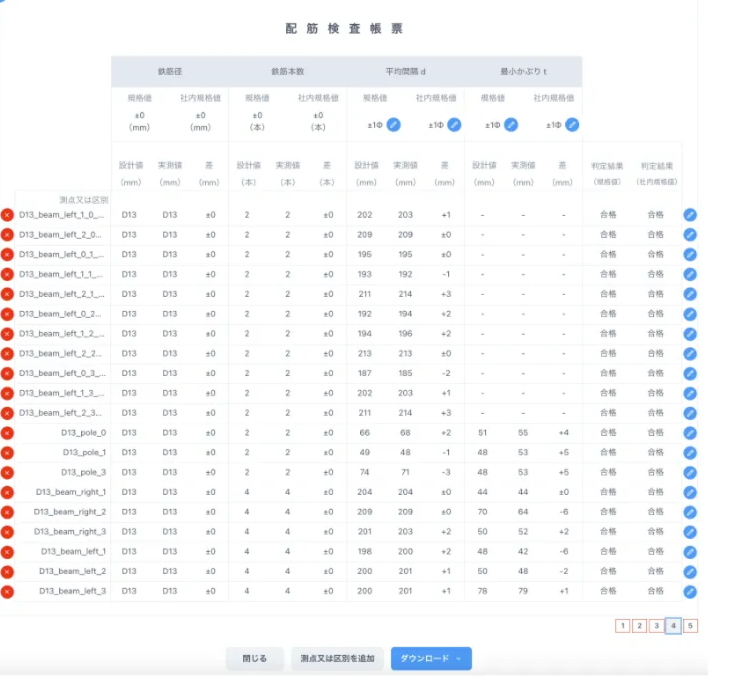
Report Gerenation

image of the report
  • Rebar spacing and cover thickness are automatically calculated from the generated 3D model, and inspection reports can be output accordingly.

  • Additional features include drawing upload and photo upload capabilities.

computer screen  new features released on the monitor

Latest Updates

Stay informed with the latest features and improvements to Modely.

Future Vision of Modely

Future Vision of Modely
  • Establishing a New Standard for Rebar Inspection

    • By fully leveraging 3D models automatically generated from point cloud data together with BIM/CIM data, Modely enables the complete automation of rebar inspections and the seamless application of inspection data to downstream processes such as maintenance and asset management.

    • Through this approach, we aim to realize the labor-saving objectives envisioned by i-Construction 2.0.

Workflow with Modely


1. Acquire Point Cloud Data

  • Install a point cloud acquisition app such as PIX4Dcatch on an iPad with LiDAR or another device, and scan the inspection area.

2. 3D Modeling from Point Clouds

"Automated Modeling: Specifying Target Areas" 

  • Upload the acquired point cloud data to Modely and specify the target area to generate a 3D model.

3. Report Generation

"Measuring Rebar with Modely: Count and Pitch"

  • Once the 3D model is created, a report is automatically generated.
  • By entering design values, design-to-actual comparisons and pass/fail assessments are automatically generated.

Blog Post


laptop monitor 3d rebar model image on the screen-3

Technical Insights

Explore in-depth technical information and updates regarding Modely.

desktop computer screen new features released-1

Latest Updates

Stay informed with the latest features and improvements to Modely.

Recommended Operating Environment:

Device 2020/2021 iPad Pro
OS

Windows 10 (64 bits) or later
MacOS10.15 or later
iPadOS 16.3 or later

Memory 8GB or more
Web browser Google Chrome

*Modely may function in environments that do not fully meet the recommended specifications mentioned above.

Visit Help Center for Modely user manual and more details!

Contact Us


logo_01